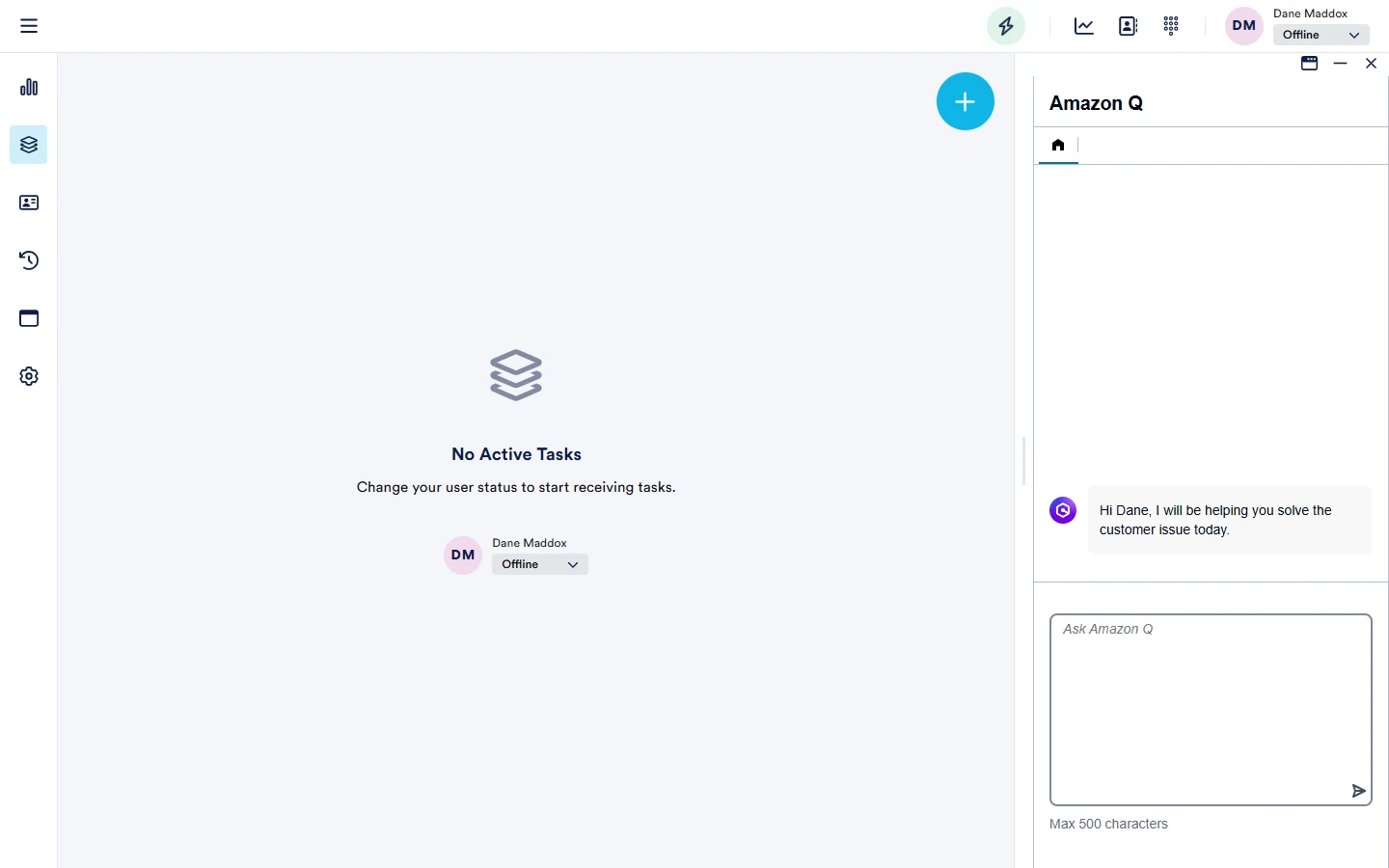
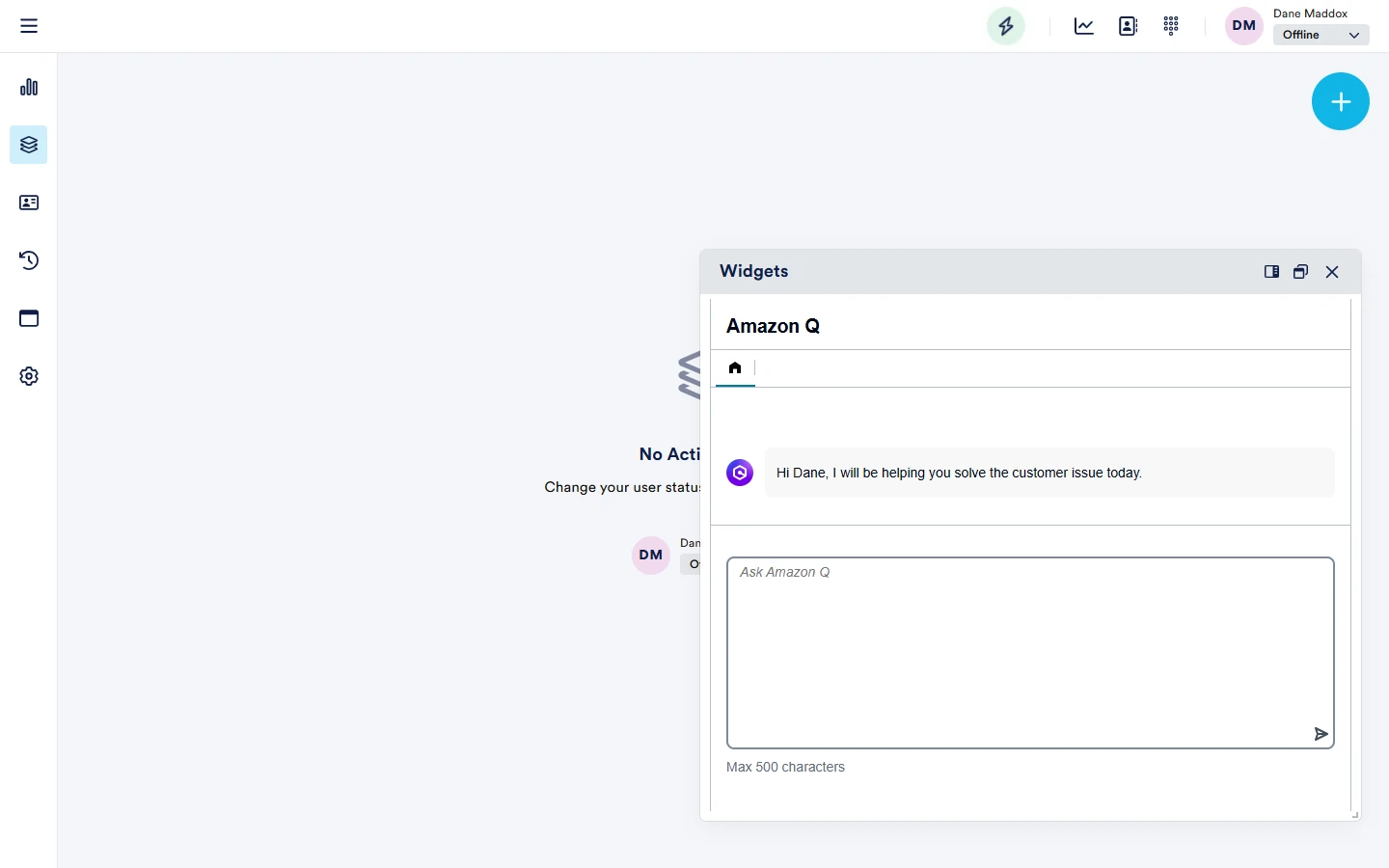
Widgets
There are two types of widget modules:
- Connect - these offer integration to out of the box additional Amazon Connect agent modules, such as Amazon Q for Connect, Customer Profiles etc
- Other - these allow creation of an iframe - i.e. any site/URL that you want to display embedded within NEONNOW
Connect Widgets
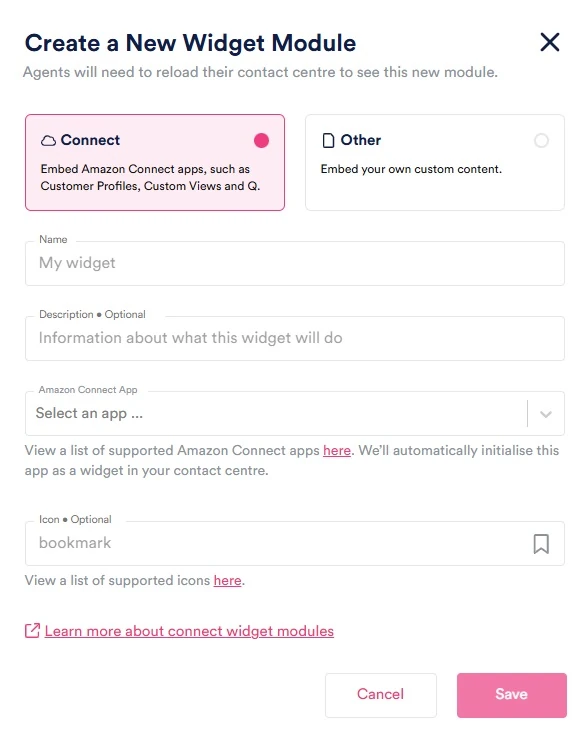
For Connect Widgets, enter the following information
- Name: a descriptive name for the widget module.
- Description (Optional): a brief description of the module's purpose. Only used in the admin app.
- Amazon Connect App: Select from the drop-down the relevany Amazon Connect appliction you want - such as Amazon Q
- Icon: Enter an icon that will be used for widget - select from the hyperlinked library
Other Widgets
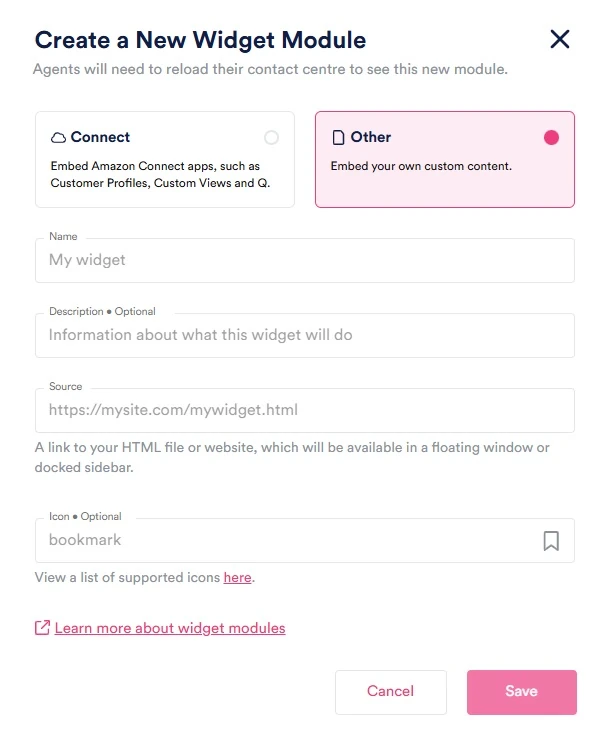
- Name: a descriptive name for the widget module.
- Description (Optional): a brief description of the module's purpose. Only used in the admin app.
- Source: the source link, whether it's a link to an HTML file or an external website.
- Icon: Enter an icon that will be used for widget - select from the hyperlinked library
Widget Modules In NEONNOW
info
Agents will need to reload their contact centre to see the new module.
Widget modules can either be pinned to the right hand side of NEONNOW, or as a floating window. Use the controls on the top right of the Widget Module window. When widgets are closed, a 'Widgets' icon will appear in the top task bar.