Task Modules
Task Modules can be added to bring in an external iframe into a new tab, on the Task View - i.e. for an active Task.
To create a new Task module, fill in the following information:
-
Name: a descriptive name for the Task Module. This name will be the title of the tab displayed to your agents.
-
Description (Optional): a brief description of the module's purpose. Only used in the admin app.
-
Source: The path of the URL where agents will access the new page module, e.g.
https://your-page.com -
Icon (Optional): Select an icon to represent the landing page in the navigation sidebar. A variety of icons can be found click the link below.
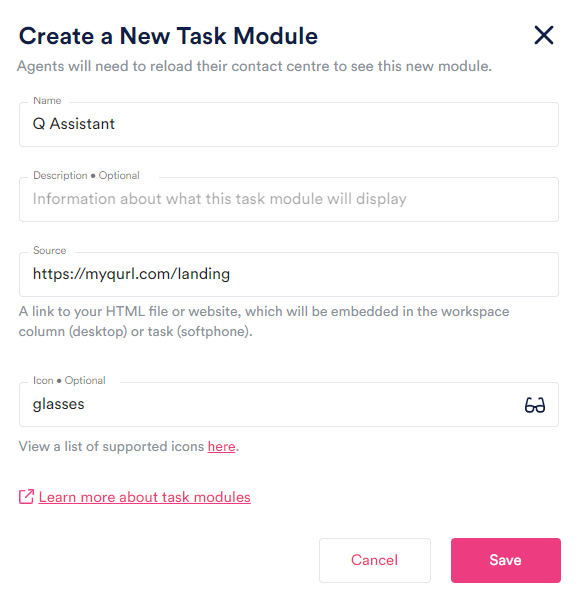
The create task page module modal window
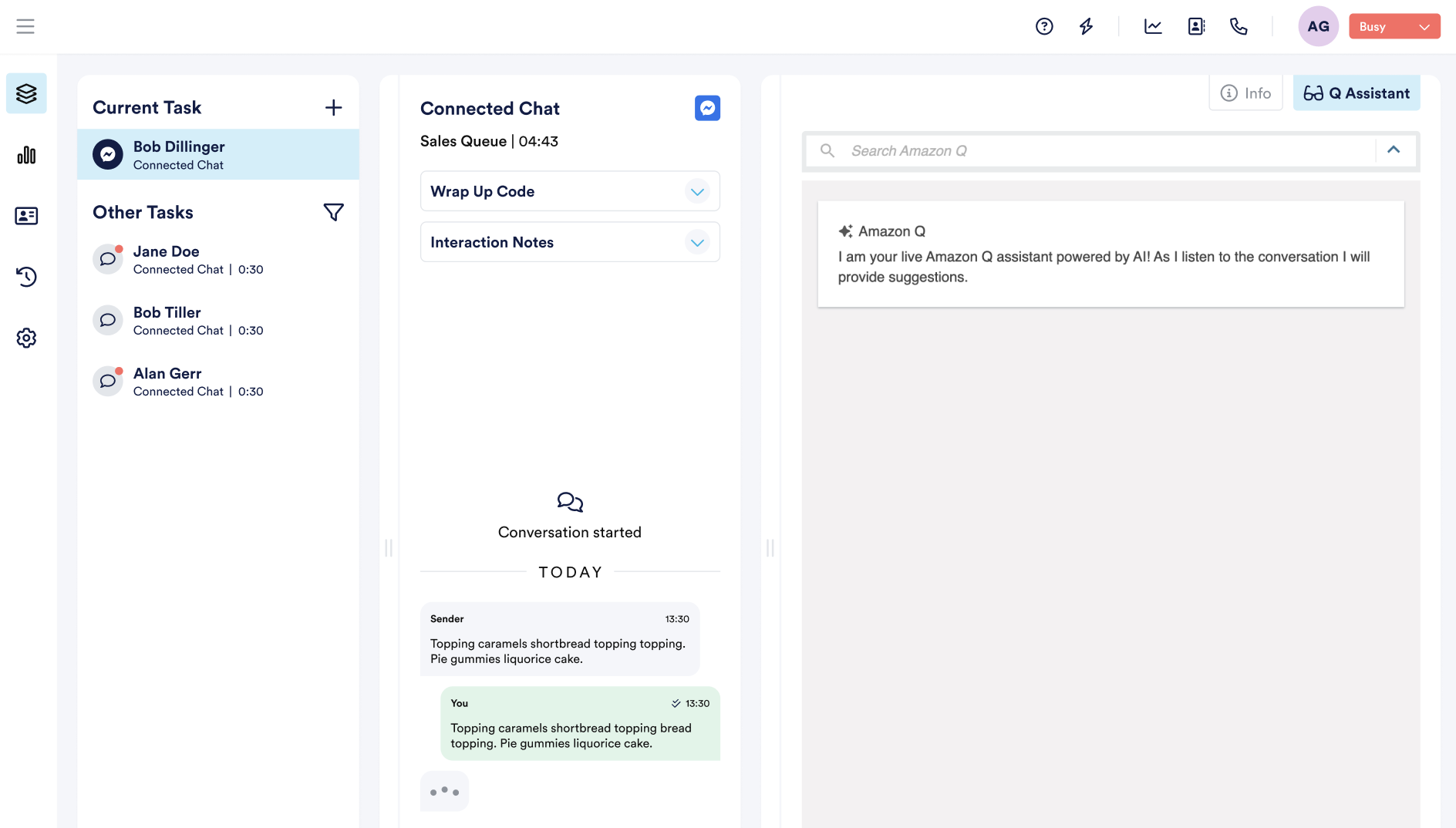
Task Modules In NEONNOW Workspace
Agents will need to reload their contact centre to see the new module.
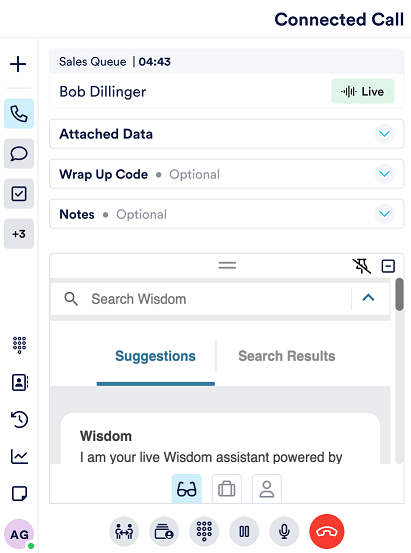
Task Modules In NEONNOW Softphone
Agents will need to reload their contact centre to see the new module.
On Softphone, the task modules appear as a workspace drawer (see below) can be pinned or minimised. Pinning the drawer means it will be open by default when switching between tasks or on new inbound/outbound interactions.